Author: Byron Paul
Date: 14/08/2026
In this example on the 2136ax we show an overview on configuring MFA for remote dial-in VPN users.
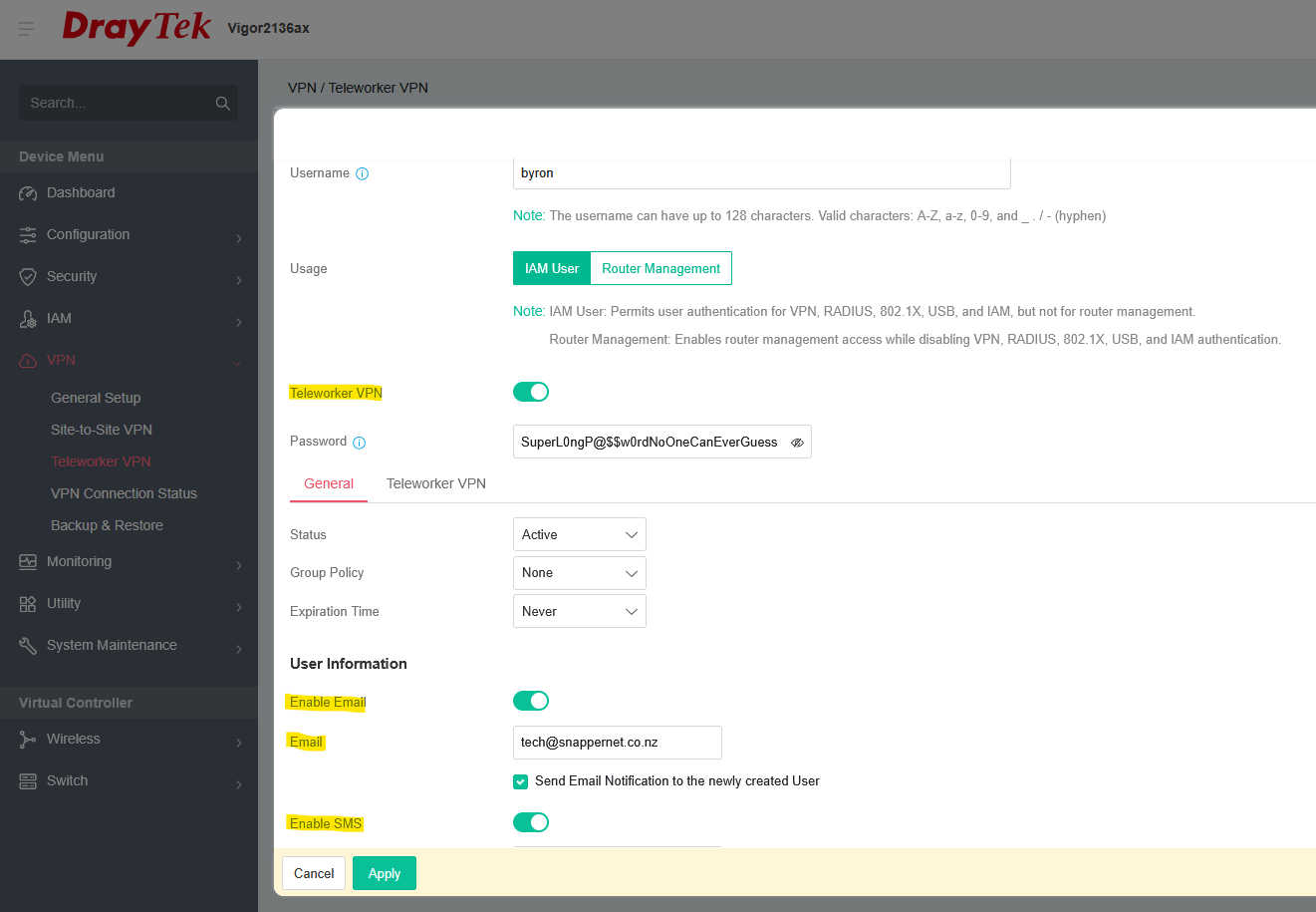
Under VPN / Teleworker VPN, when you create a User with VPN access:
1. You can enable Email, SMS or both, if you plan to use Email or SMS MFA method:
2. You can then ‘Enable MFA’, and select which method(s) to allow – Email, SMS, TOTP: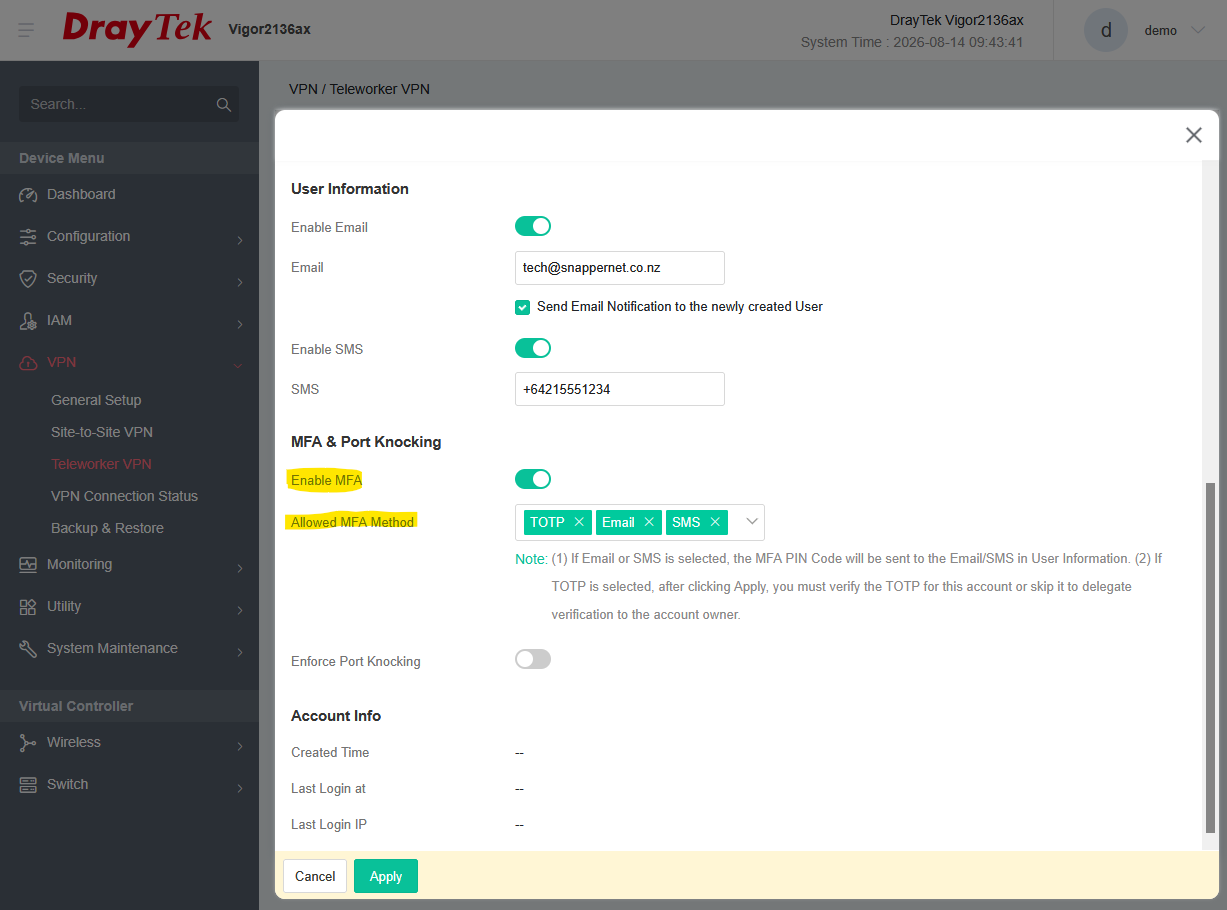
3. If you enable TOTP, when you click ‘Apply’, you’re prompted to set it up with your phone / OTP app, eg. Google Authenticator: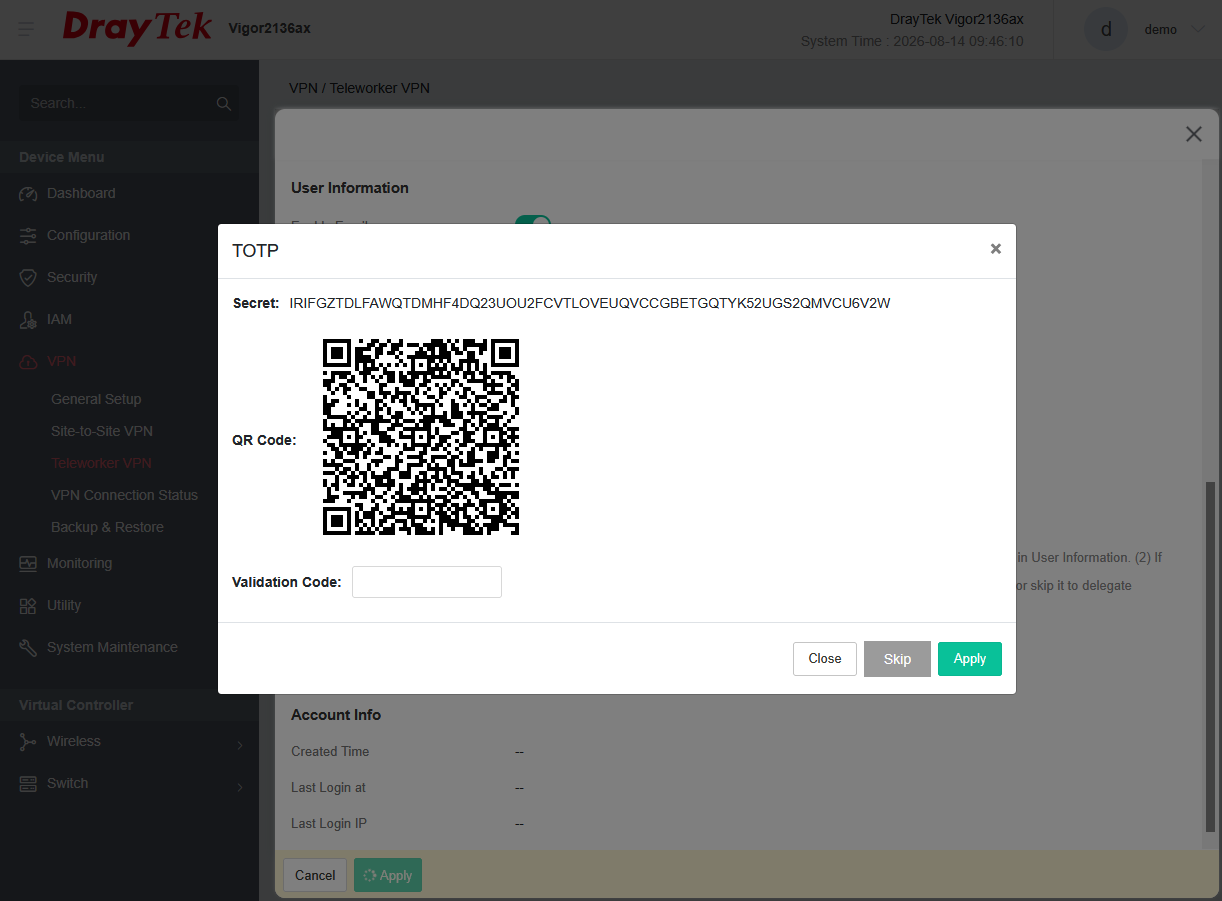
You can ‘Skip’ this step to leave it up to the user, who should be prompted to set it up when logging in.
Was this article helpful?
That’s Great!
Thank you for your feedback
Sorry! We couldn't be helpful
Thank you for your feedback
Feedback sent
We appreciate your effort and will try to fix the article