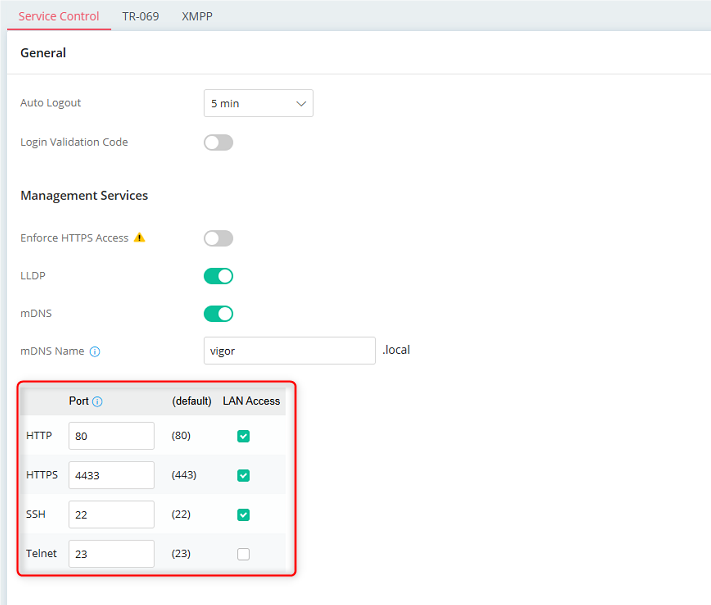
There have been some reports that after upgrading to DrayOS 5.3.9 you find the IPv4 WAN Access settings under System Maintenance / Management is missing as below
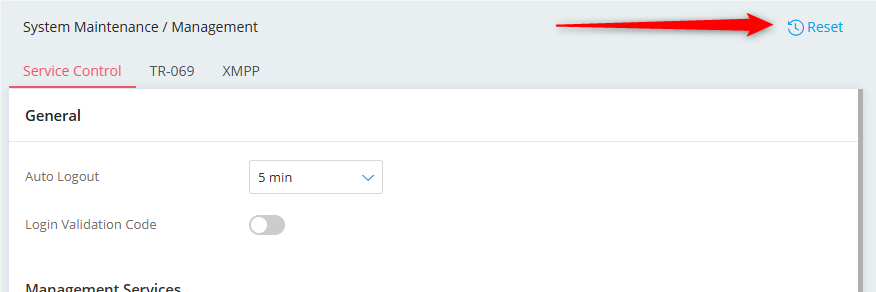
You can resolve this by clicking the 'Reset' button in the top right hand side of the page. However before doing so, make a note of the existing settings on that page as they will need top be re-entered after doing so.
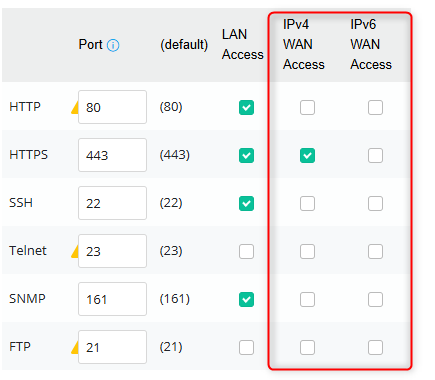
You should then be able to see the IPv4 & 6 WAN access controls
As always, if opening management to WAN it is always advisable to use an access list rather than opening WAN management to the entire internet. See https://www.draytek.com/support/knowledge-base/5352#DrayOS5 for more details on this process.
Was this article helpful?
That’s Great!
Thank you for your feedback
Sorry! We couldn't be helpful
Thank you for your feedback
Feedback sent
We appreciate your effort and will try to fix the article